Products
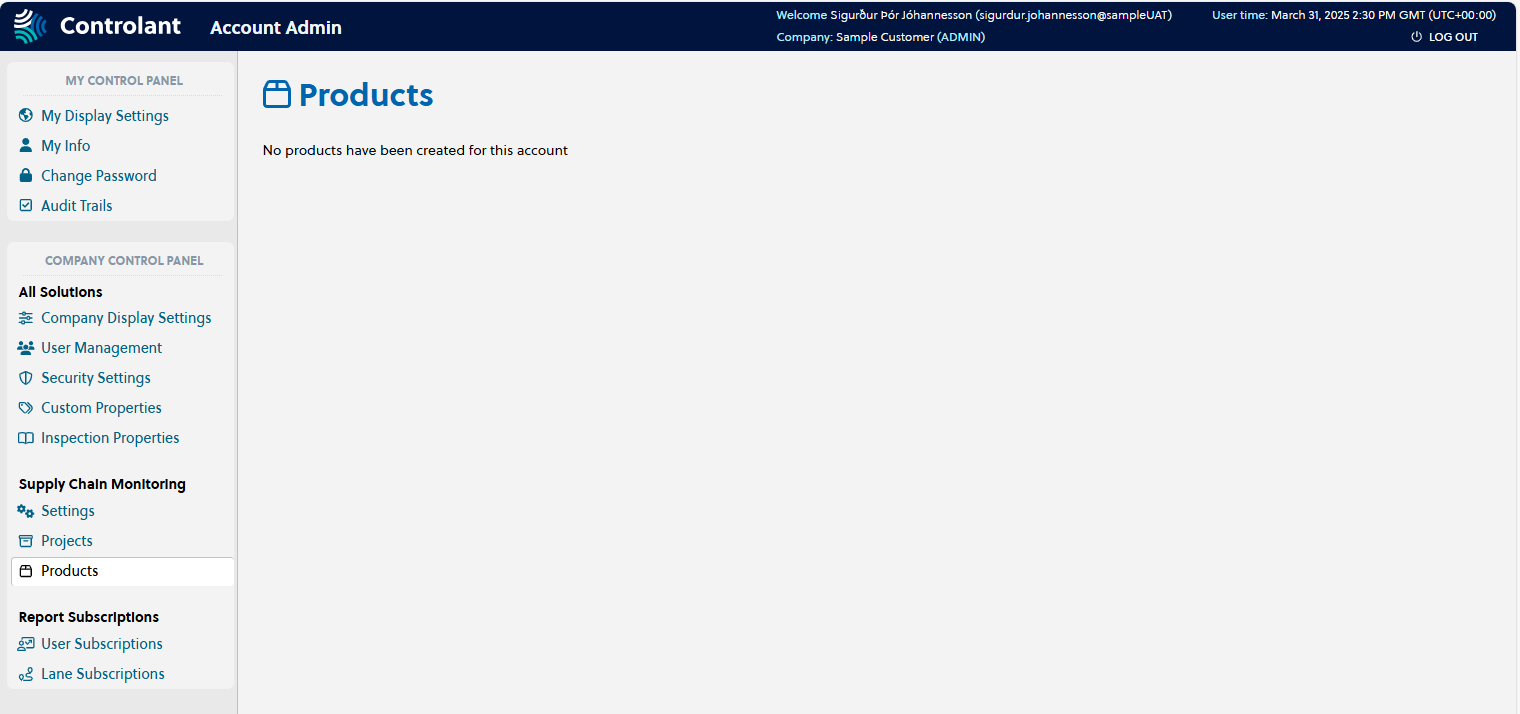
You can view products that have been configured for the Controlant Platform (SCM).
Note
This section is only accessible for users with Admin access to the Controlant Platform (SCM).
In the Admin Panel, in the Company Control Panel menu, click Products.
The Products page appears.
Note
This section is only accessible for users with Admin access to the Controlant Platform (SCM).
You can create products in the Controlant Platform (SCM), and criteria around transport conditions. Each product is assigned a stability profile, and when a shipment is delivered each product in the shipment is evaluated against the transport conditions to assess whether the product was affected.
This means you can add one or more products to a shipment, and do not need to configure the temperature boundaries for each product when creating the shipment.
Note
Products can only be created or modified using the Controlant Integrations API.
A Product stability profile defines the criteria for the transport conditions a product must stay within to ensure the stability of the product. If the product goes out of the acceptable range for longer than configured, it is considered affected.
For each product you can configure a product stability profile with one or more of the following criteria:
temperature
upper limit
lower limit
dual boundaries - upper and lower limits
stability budget - accumulated amount of time the product is allowed to be outside each temperature range before product stability is affected
freeze-thaw cycles - number of times the product is allowed to freeze and thaw, where freezing is the temperature dropping below a configurable freezing threshold (usually around 0°C / 32°F) and thawing is the temperature rising back above it
In case of dual temperature boundaries (upper and lower limits), the budget is calculated by accumulating the time outside the upper or lower boundary.
The product stability profile is used by the Product Stability Automation when calculating product quality.
You can use a freeze-thaw cycle to track how many times a product has frozen and thawed. A cycle starts when the temperature drops below the freezing threshold defined for the product (usually around 0°C / 32°F) and ends when the temperature rises back above it.
The number of freeze-thaw cycles a product can go through without affecting its efficacy differs by product.
If you need to include a further definition of a product, you can add custom properties, in the form of key / value pairs.
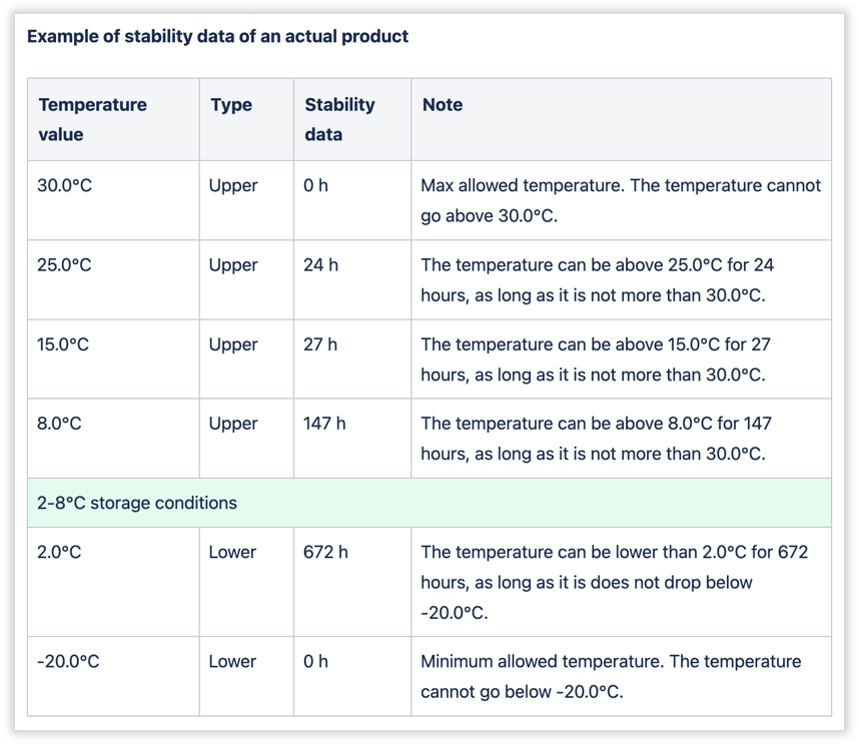
You can configure a more flexible product stability budget for products that are more tolerant of temperature changes
In the Admin Panel, in the Company Control Panel menu, click Products.
The Products page appears.
Note
Products can only be created or modified using the Controlant Integrations API.