Shipments module
In this section:
The Shipments module can be used to search for Draft and Ready shipments within your account. Users can:
Use the search field at the top of the screen to find specific shipments using the shipment reference or description.
Toggle between Draft and Ready shipments.
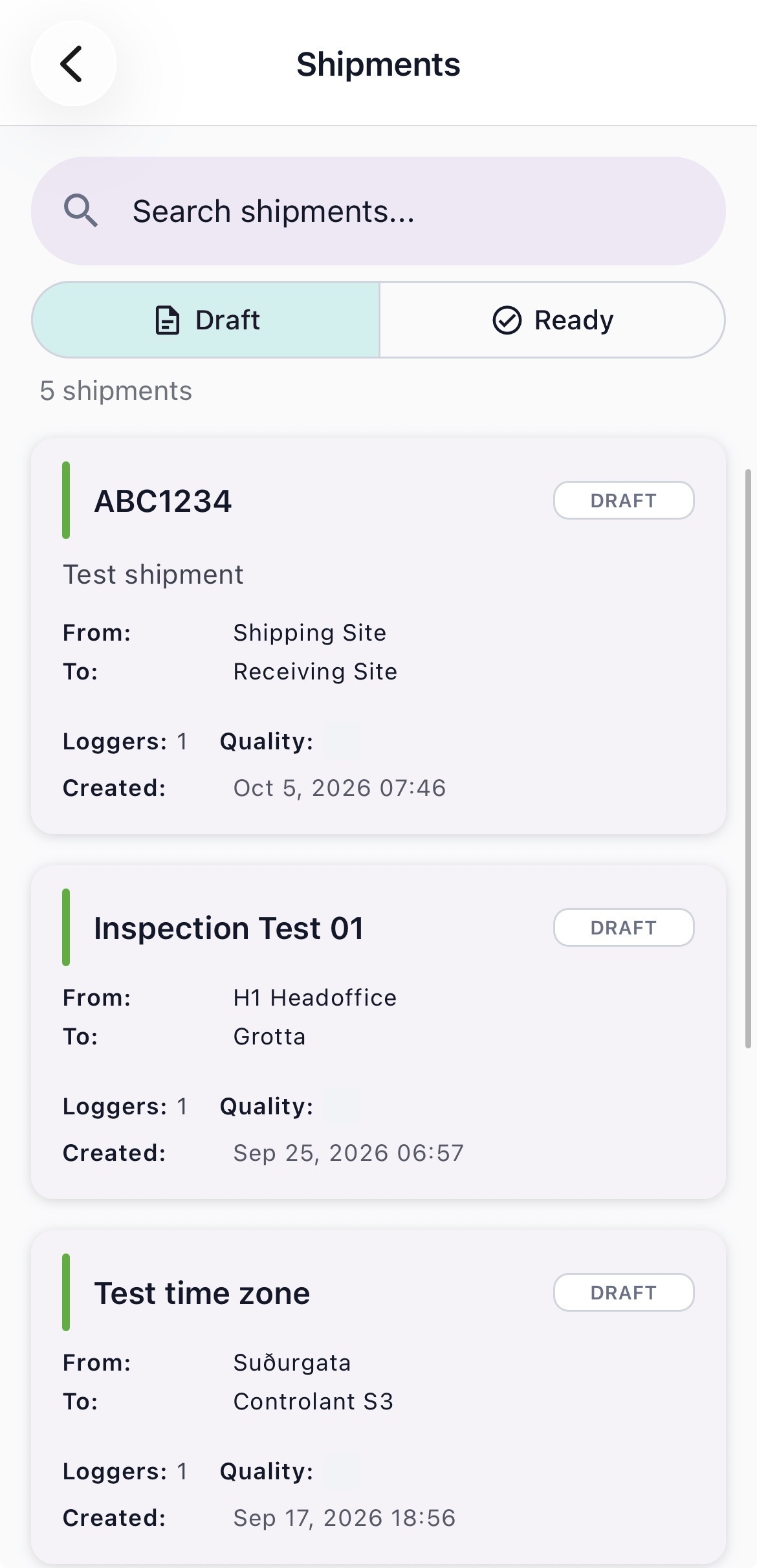 |
To see more information about a shipment, tap the shipment to open Shipment details.
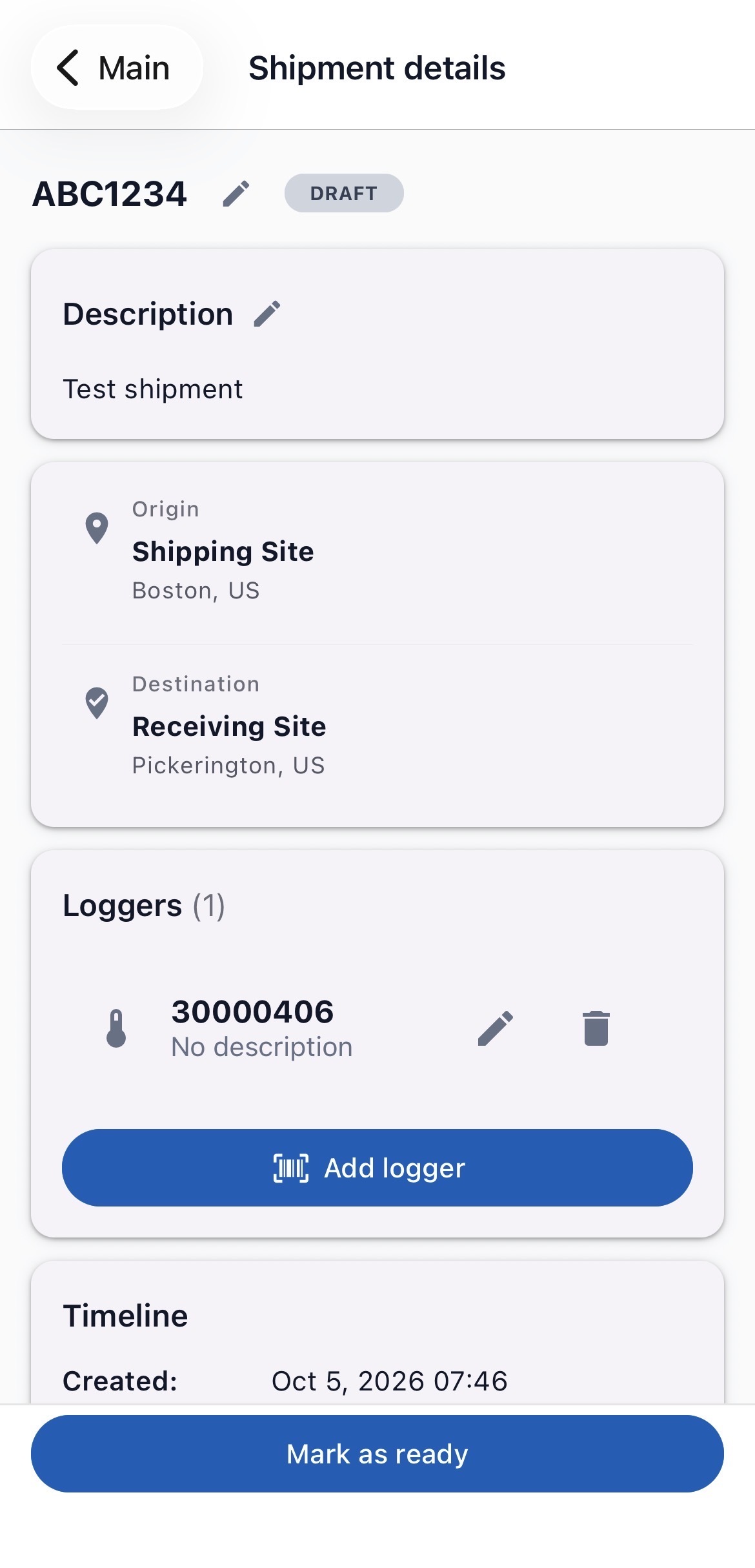 |
Shipment details displays the following information about a shipment:
Shipment reference
Shipment description
Origin site
Destination site
Devices assigned to the shipment
Custom properties assigned to the shipment
Date and time of shipment creation
Tip
Users can update shipment information from the Shipment details screen. For more information, see Editing shipments.